


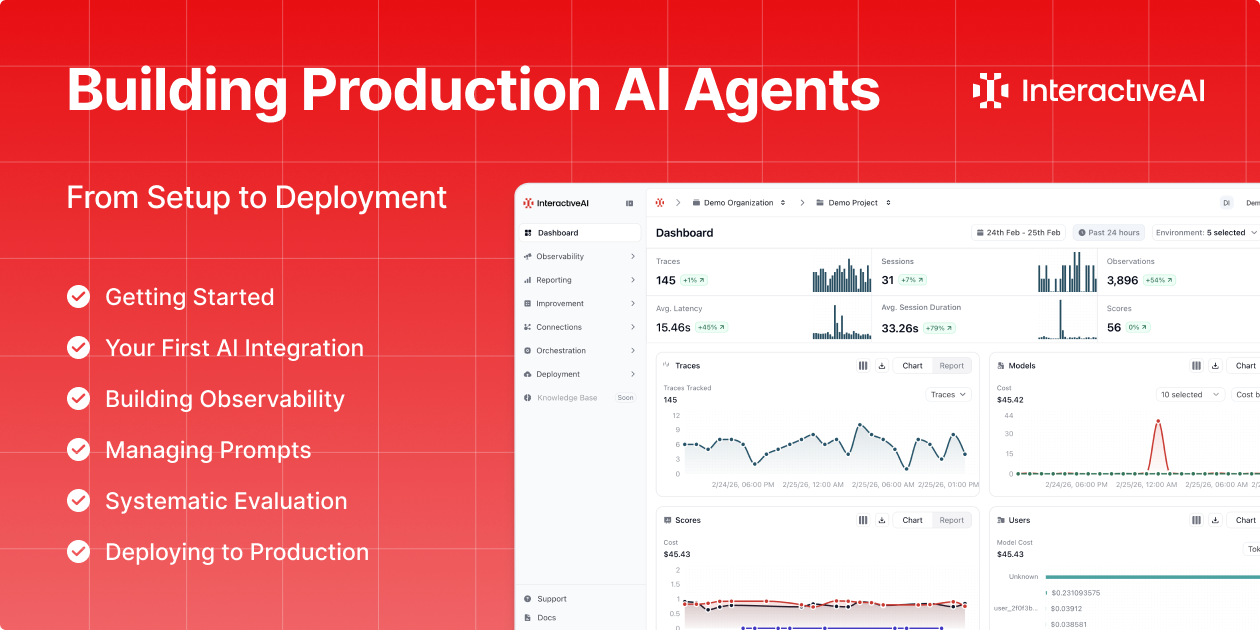
A step-by-step video series covering the full InteractiveAI lifecycle, from account setup and tracing to prompt management, evaluation, and production deployment.
This six-part series covers the full InteractiveAI lifecycle, from creating your first project to deploying a containerized service with live monitoring. Each chapter builds on the previous one. By the end, you'll have a fully operational AI system that's traced, versioned, evaluated, and running in production.
What You'll Build
A complete AI system, built end-to-end on InteractiveAI using a customer support use case to demonstrate every stage of the platform lifecycle.
By the final chapter, your system will include:
- Traced interactions with user, session, and environment context
- Nested observations capturing every step of multi-stage workflows
- Version-controlled prompts fetched at runtime with label-based deployment
- Automated evaluation using LLM-as-a-Judge and human annotation
- A live production endpoint with infrastructure monitoring and zero-downtime updates
Ch.1: Getting Started
Set up your organization, project, and API keys. Store credentials in the Secrets Manager. Initialize the SDK and connect to the InteractiveAI Router.
You'll learn: How InteractiveAI is structured (organizations, projects, roles), how Project API Keys and Router API Keys differ, and how to manage credentials securely.
Ch.2: Your First AI Integration
Make your first LLM call through the Router. See how traces are captured automatically. Then enrich them with user IDs, session IDs, tags, and metadata.
You'll learn: How the Router provides unified access to 200+ models, how trace enrichment powers the Sessions and User Tracking views, and how to filter and analyze interactions at scale.
Ch.3: Building Observability
Structure multi-turn conversations. Capture individual pipeline steps (API calls, document retrieval, LLM generation) as nested observations. Attach quality scores.
You'll learn: How to use spans, generations, tools, and retrievers to model real workflows, and how scores (Boolean, Numeric, Categorical) create the foundation for systematic evaluation.
Ch.4: Managing Prompts
Move prompts out of code and into a version-controlled repository. Test in the Playground. Deploy with labels. Compose prompts from reusable components. Fetch at runtime.
You'll learn: How labels control which prompt version your application uses, how Protected Prompt Labels prevent accidental changes, and how prompt references keep content consistent across your system.
Ch.5: Systematic Evaluation
Build datasets. Run experiments. Set up LLM-as-a-Judge evaluators, both out-of-the-box and custom. Calibrate automated scoring with human annotation queues.
You'll learn: The difference between test datasets and golden datasets, how to compare experiment runs side by side, and how to use annotation to keep automated evaluators aligned with human judgment.
Ch.6: Deploying to Production
Containerize your application. Push to InteractiveAI's private registry. Configure runtime secrets. Deploy via the CLI with resource allocation, replicas, and a public endpoint. Monitor infrastructure health.
You'll learn: The full deployment workflow (from Dockerfile to live endpoint) including rolling updates, replica management, and the deployment monitoring dashboard.
Who This Is For
This series is built for AI engineers, backend developers, and technical leads who want to move beyond prototyping and operate AI systems in production with proper governance.
Prior experience with Python and LLM APIs is helpful. No InteractiveAI experience required. Chapter 1 starts from zero.
The Stack
| Component | Technology |
|---|---|
| Platform | InteractiveAI |
| LLM Provider | Anthropic Claude Sonnet 4 (via Router) |
| Language | Python |
| Web Framework | FastAPI |
| Deployment | Docker + InteractiveAI CLI |
Each chapter takes 10–20 minutes. The full series gets you from an empty project to a deployed, monitored, and evaluated production system.
→ Read the Documentation: docs.interactive.ai
Ready to build your own? Create a free account and follow along with the tutorial. Everything you need is included in the Free plan.
→ Get Started: app.interactive.ai